1# vimpad
2
3notes that move at the speed of vim.
4
5a vim-native markdown editor, right in your browser.
6local-first · offline · yours · synced to your own drive.
7
8## why it's different
9- real motions dd yy ciw gg :%s/old/new/g
10- live preview · $math$ · #tags · folders · ⌘k
11- free forever. no account. no tracking.
12
13press to start writing
the editor
Plain text. Serious power.
Full vim on the left, live Markdown and math on the right. Syntax-highlighted code, tags, folders — all in your browser.
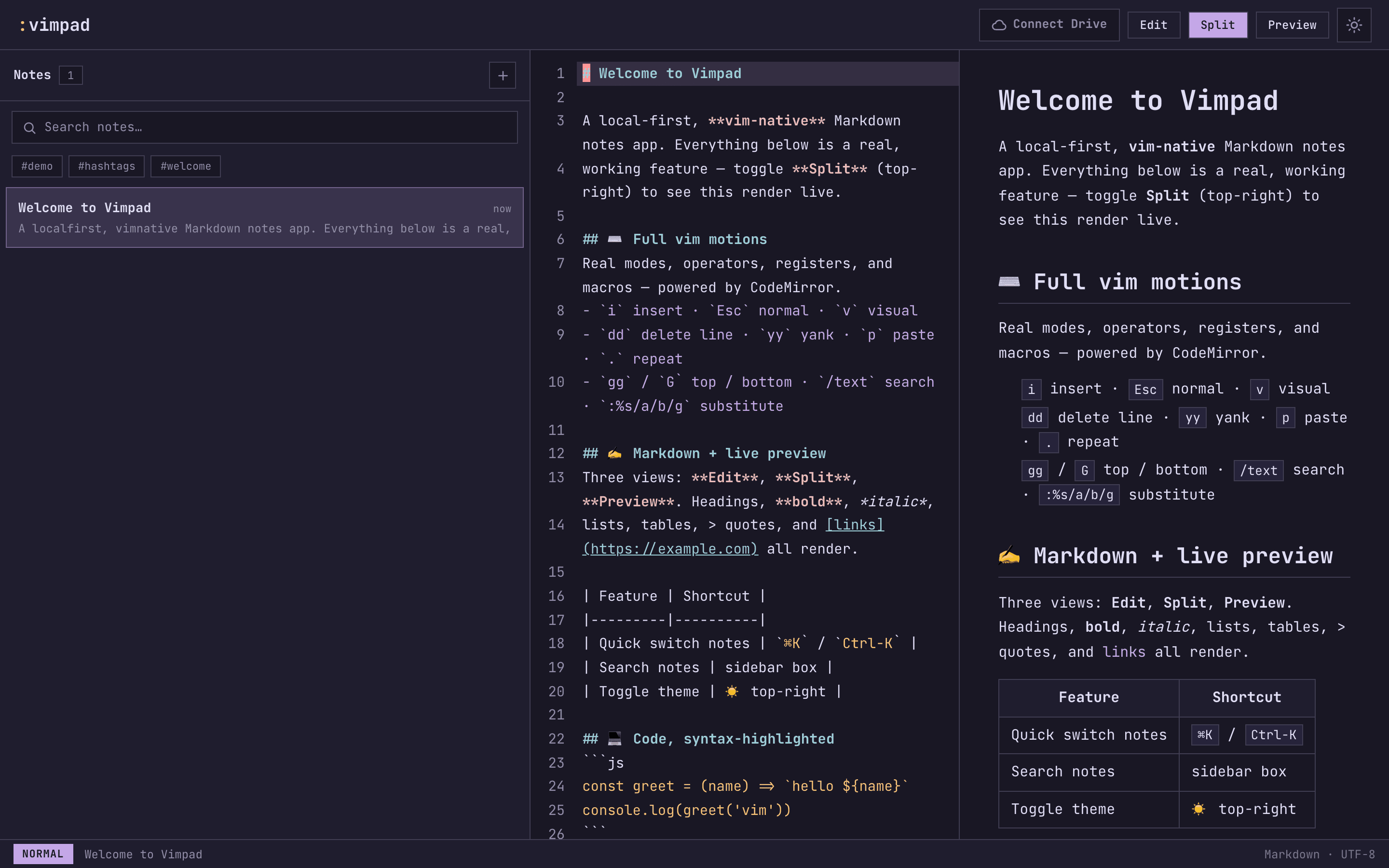
Everything is a keystroke away
If you know vim, you already know Vimpad. If you don't, these are all you need.
i · Escinsert / normal mode
dd yy pdelete / yank / paste a line
⌘Kfuzzy-jump to any note
/textsearch within a note
:move work/file a note into a folder
#tagtag and filter notes
$E=mc^2$inline & block KaTeX math
Splitlive Markdown preview
Your notes never touch our servers.
local-first
Works offline, instantly
Notes live in your browser (IndexedDB). No network round-trips, no spinners — just type.
your drive
You own the files
Optionally sync to your own Google Drive as plain .md files. Take them and leave anytime.
no account
Nothing to sign up for
Free forever. No login, no tracking, no lock-in. We literally never see your notes.
Press i. Start writing.
No account. Nothing to install. Your first note is one click away.
open the editor →